
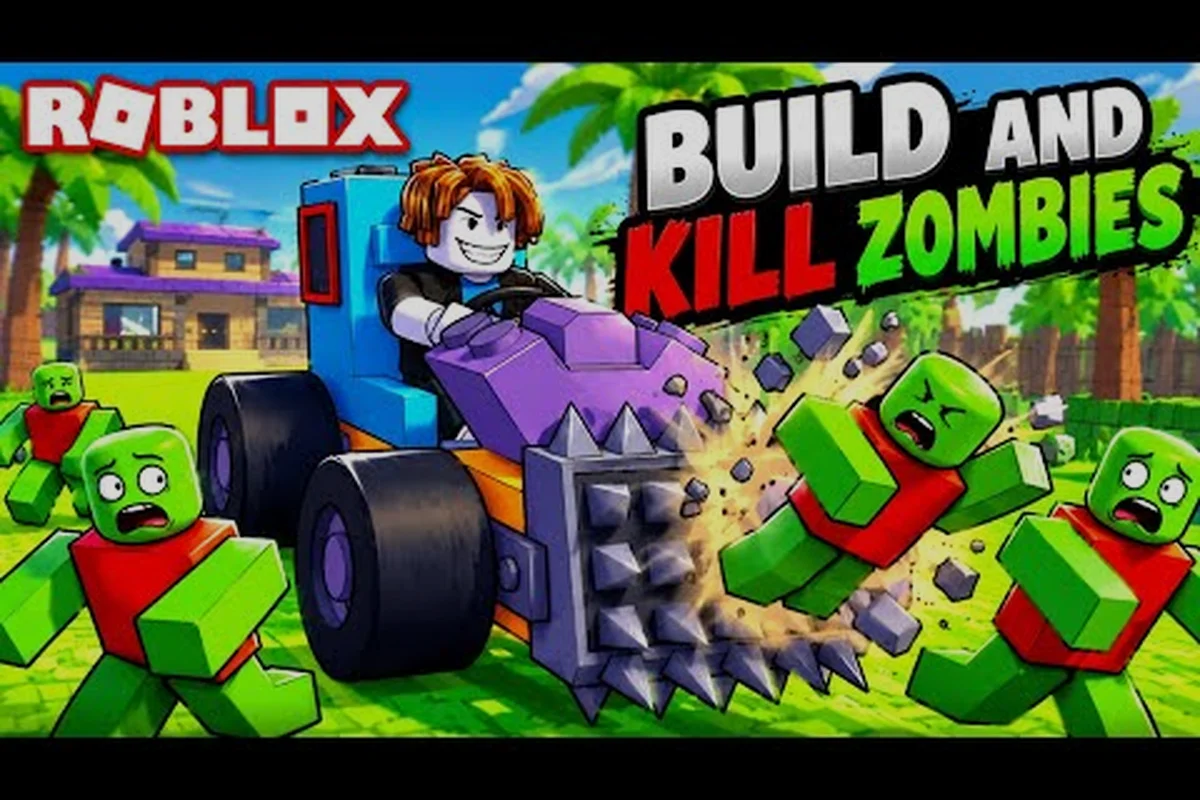
Most new players lose their first Build and Kill Zombies run to the same trap: a fully assembled chassis that runs out of fuel on a flat road. The Build and Kill Zombies game rules decide exactly how a run starts, how long it lasts, and what happens when your build falls apart, so learning those rules before you commit to a chassis saves hours of grinding.
This guide walks through the core Build and Kill Zombies game rules around run length, the in-game refund path, and the survival mechanics that decide how long you actually stay on the road. The official Roblox listing for Zombie Car Crusher titles confirms the loop: roll parts, build a car, start the engine, and push as far as possible. The rules below expand on that loop with the details the lobby menus never spell out.
Core Rules Explained
Every run in Build and Kill Zombies follows a fixed three-phase loop: lobby preparation, the drive itself, and the end-of-run payout screen. The Build and Kill Zombies game rules that govern each phase are short, but the order in which you trigger them changes everything about your distance record.
Lobby Phase: Rolling, Confirming, and Entering Build Mode
The lobby is where the Build and Kill Zombies game rules about resources, currency, and build access all start. The VendoPlus walkthrough for How to Play Build and Kill Zombies Roblox walks through the exact order of the lobby phase, and the official Roblox listing for the experience confirms the public-facing flow.
| Step | Action | Tool or Button | What It Sets Up |
|---|---|---|---|
| 1 | Roll chassis parts | CAR PARTS machine (Q / E to cycle) | Block, engine, wheel, fuel inventory |
| 2 | Roll weapon parts | SUPPORTS machine (Q / E to cycle) | Spike plates, rams, blades for combat |
| 3 | Confirm inventory | CONFIRM prompt at the machine | Locks the rolled parts into your build |
| 4 | Enter Build Mode | Press B | Allows placement of chassis and parts |
| 5 | Start the run | Green start button on the build pad | Spawns the car on the road |
Players who skip the CONFIRM prompt end up with parts that visually show on the chassis but do not count toward the Build Mode budget, which is one of the most common ways new players lose their first run. The rule is simple: if you did not press CONFIRM at the machine, the part does not exist for the build.
Run Phase: Distance, Fuel, and the End-of-Run Banner
Once the green start button lights up and you press it, the Build and Kill Zombies game rules switch to the on-road loop. The car drives forward automatically, fuel drains based on engine tier, and zombies spawn in increasing density. According to community data scraped from the Roblox experience page, the run phase lasts until one of three conditions is met:
-
The car runs out of fuel and the out-of-fuel banner appears
-
The chassis is destroyed by a zombie swarm or environmental hazard
-
The player voluntarily resets the run from the pause menu
A typical first-time run in Build and Kill Zombies lasts between 2 and 5 minutes depending on the fuel roll, while experienced players running optimized chassis have logged runs exceeding 20 minutes before the first wipe. Run length scales with three variables: engine tier, fuel capacity, and zombie density curve on the chosen map. The Build and Kill Zombies game rules do not impose a hard time cap, so distance is the only true score.
End-of-Run Phase: Payouts, Badges, and the Free Chest
The third leg of the Build and Kill Zombies game rules is the payout screen. The car freezes in place, the distance total appears, and the game awards currency, badges, and chest drops based on how far you traveled. According to the official Zombie Car Crusher group listing, liking the game and joining the official group unlocks a free starter chest on the lobby wall.
| Reward Type | Trigger | Use |
|---|---|---|
| Distance currency | Every meter driven | Buys roll tickets and rerolls |
| Kill currency | Every zombie crushed | Unlocks higher-tier machines |
| Badges | Distance milestones and boss kills | Permanent account-wide unlocks |
| Free chest | Like game + join Zombie Car Crusher group | One-time starter loadout |
| Hacker Event badge | Survive the 1x1x1x1 server event | Limited-time 2026 reward |
The Hacker Event 2026 badge is tied to surviving the King 1x1x1x1 server boss, which is the same event window the developer used for the late-2025 event. Players who want the badge need to be online during the event rotation, not at a random time.
How Long Is a Run in Build and Kill Zombies
The single most-asked question from new players is how long a Build and Kill Zombies run actually lasts, because that length decides how much currency one good chassis can earn. There is no fixed timer; the Build and Kill Zombies game rules measure run length in distance and survivability, not in seconds on a clock.
The Variables That Decide Run Length
Run length is a function of three Build and Kill Zombies game rules, and each one can be tuned by the parts you roll in the lobby. Engines with higher tier ratings burn fuel faster but also push past zombie swarms more reliably, while higher-capacity fuel tanks extend the run but add weight that slows acceleration.
| Variable | Effect on Run Length | Tradeoff |
|---|---|---|
| Engine tier | Higher tier = faster speed and tougher chassis | Burns fuel faster |
| Fuel capacity | Larger tank = more meters before out-of-fuel banner | Adds weight, lowers acceleration |
| Wheel type | Heavy wheels handle ramps better | Slow on flat road |
| Armor plating | Higher HP chassis survives longer | Reduces fuel economy |
The community-reported average for a new player running their first 10 attempts is roughly 1,500 to 3,000 meters per run, while players who have unlocked the Gold Roll skill report averages above 8,000 meters per attempt. Those numbers come from player-reported runs and may vary by patch.
Why Long Runs Need Better Parts
A long run in Build and Kill Zombies is not just about fuel. As the car advances, zombie density scales up, and the build needs combat parts from the SUPPORTS machine to survive the later waves. The SUPPORTS machine rolls spike plates, rams, and blade parts that attach to the chassis for offensive and defensive use. A chassis that runs 10,000 meters with no SUPPORTS parts almost never makes it past the first ramp because the zombie spawn rate at that distance will tear the wheels off in seconds.
Players who want to push the distance record need to balance fuel economy against combat parts. The community-published distance record, as scraped from the experience page, sits above 50,000 meters for top-tier optimized builds. Reaching that range requires stacking high-capacity fuel with reinforced wheels and at least one offensive SUPPORTS part, because the mid-game zombie waves will wipe an unprotected build in under a second.
The Build and Kill Zombies Refund System and How to Use It
The Build and Kill Zombies how to refund question is the second-most-common build rule new players search for, because a bad roll can lock resources that would be better spent on rerolls. The refund system lets you recover some of the currency you spent on parts, but the Build and Kill Zombies game rules only let you trigger it in specific situations.
When Refunds Are Allowed
The Build and Kill Zombies game rules do not allow refunds after the run starts. Once you press the green start button and the car is on the road, every part on the chassis is committed. Refunds are only available in the lobby, and only for parts that have not been locked into Build Mode.
| Situation | Refund Available? | Notes |
|---|---|---|
| Part rolled but not confirmed | Yes, full refund | Part is still in the machine buffer |
| Part confirmed but not placed in Build Mode | Partial refund | Some currency retained by the machine |
| Part placed in Build Mode but run not started | No refund | The build is locked once placed |
| Run started | No refund | The Build and Kill Zombies game rules commit all parts |
The CONFIRM button at each machine is the trigger that converts a refundable part into a committed part. Players who want the option to back out should hold off on pressing CONFIRM until they are sure about the roll, because the Build and Kill Zombies game rules treat the confirmation as a binding decision.
How to Refund a Rolled Part in the Lobby
To refund a part in Build and Kill Zombies, the player needs to back out of the machine before confirming the roll. The Q and E keys cycle through available parts, and pressing the cycle key on the same part slot without confirming returns the part to the machine pool. Community testing from the VendoPlus beginner video confirms that the parts window also shows a small currency refund indicator when a part is rolled back instead of confirmed.
Players who accidentally press CONFIRM and then want to swap a part need to use the reroll function instead of the refund function. Rerolls cost more currency but are the only way to change a confirmed part. Refunds and rerolls serve different purposes, and the Build and Kill Zombies game rules keep them as separate actions so that the lobby economy stays balanced.
Build and Kill Zombies Strategy Guide: Surviving Longer
The Build and Kill Zombies how to survive longer search is the most common follow-up to the game rules search, because the rules only matter if the run lasts long enough to use them. The strategy below maps directly to the Build and Kill Zombies game rules for fuel, combat, and rerolls. vive longer search is the most common follow-up to the game rules search, because the rules only matter if the run lasts long enough to use them. The strategy below maps directly to the Build and Kill Zombies game rules for fuel, combat, and rerolls, and if you want a dedicated breakdown of the optimal room setups, enemy waves, and perk priorities that actually make those rules count, the Build And Kill Zombies Lobby Guide walks through every lobby configuration in detail.
Fuel Management Over Raw Speed
The most common cause of early run failure is not combat damage; it is running out of fuel on a flat section. Players who chase the highest engine tier almost always run out of fuel before the first boss wave because the engine's fuel consumption scales with the tier rating. The Build and Kill Zombies game rules reward fuel-efficient builds over raw power, especially for the first 5,000 meters.
| Strategy | Effect | Best For |
|---|---|---|
| Mid-tier engine + large fuel tank | Steady speed, long range | New players, first 10 runs |
| High-tier engine + small fuel tank | Burst speed, short range | Boss rush, suicide runs |
| High-tier engine + Gold Roll fuel | Sustained speed, long range | Endgame distance record attempts |
| Low-tier engine + heavy armor | Slow but durable | Hacker Event survival runs |
Players who want to learn the fundamentals should run the mid-tier engine with the largest fuel tank they can roll, because that combination extends the early-game learning window and lets the player practice Build Mode placement without the run ending in 90 seconds.
Defensive Build Mode Placement
Build Mode placement is the Build and Kill Zombies game rules step that decides how the car handles combat. Players who place armor on the front of the chassis survive longer in the early game because the car drives into the zombies first, but a fully armored front makes the car heavier and burns more fuel. The trade-off is a real one, and the best placement depends on the parts rolled.
The community-published placement guide recommends splitting armor 60/40 between front and rear, leaving the wheels exposed. A build that protects the wheels and the engine block survives significantly longer than a build that dumps all armor on the front bumper, because wheels are the part that breaks first when the car hits a zombie-dense section of road.
When to Use Rerolls vs. Refunds
The Build and Kill Zombies how to refund question and the reroll question are linked, because the lobby economy treats them as two different tools. Refunds are for parts you never confirmed, and rerolls are for parts you confirmed but want to change. The Build and Kill Zombies game rules charge a different currency cost for each, and the costs scale with the part tier.
| Action | Cost | When to Use |
|---|---|---|
| Refund a buffered part | Free | Wrong tier rolled, want a different slot |
| Reroll a confirmed part | Low currency | Marginal part, build is almost ready |
| Use Gold Roll | High currency | Endgame reroll, looking for legendary parts |
| Reset the entire build | Medium currency | Complete redesign, fresh start |
Players who burn rerolls on every lobby visit end up with no currency for the Gold Roll skill, which is the long-term progression tool. The Build and Kill Zombies strategy guide most players settle on is to refund freely in the early phase, reroll sparingly in the mid phase, and save Gold Roll currency for the late-game runs where one legendary part can change the entire build.
Build and Kill Zombies Game Rules and Endgame Progression
The Build and Kill Zombies game rules tie into the long-term progression system, because the badges, chests, and skills from the lobby carry over between runs. A player who has unlocked the Gold Roll skill has more reroll options in the lobby, which lets them push for the distance record more reliably.
Skills, Badges, and Permanent Unlocks
According to the official Roblox experience data scraped for this guide, the game awards 4 game passes, 3 badges, and a permanent skill tree that improves across runs. The skill tree is the Build and Kill Zombies game rules long-term progression layer, because every skill point earned from a run feeds back into the lobby economy.
| Progression Layer | Type | Carries Over? |
|---|---|---|
| Distance currency | Per-run | No |
| Kill currency | Per-run | No |
| Badges | Account-wide | Yes |
| Game passes | Account-wide | Yes |
| Skill tree unlocks | Account-wide | Yes |
| Free chest | One-time | One per account |
The Welcome! badge is the first badge every new player gets, and the You defeated the King 1x1x1x1 badge is the rarest, because it requires surviving the Hacker Event 2026 server boss. The third badge, Hacker Event 2026, is a participation badge that is awarded to every player who joins the server during the event window.
The Limited Hacker Event Window
The Hacker Event 2026 is a server-wide boss rotation that the developer schedules in limited windows. The Build and Kill Zombies game rules for the event are the same as a normal run, but the boss is significantly tougher than the standard zombie spawn, and the build needs to be optimized for survival rather than distance. The King 1x1x1x1 boss has high HP, fast attack speed, and spawns zombie adds on a timer, so the chassis needs a heavy armor loadout with at least one offensive SUPPORTS part to chip the boss health down.
Players who clear the event get the limited-time badge, which feeds into the long-term progression because the badge unlocks a permanent bonus to the next run. The Build and Kill Zombies strategy guide for the event is to ignore distance entirely, stack armor on the front, and use the SUPPORTS parts to keep the boss agro on the chassis instead of on the player avatar.
Frequently Asked Questions
What are the most important Build and Kill Zombies game rules for a new player?
The most important Build and Kill Zombies game rules for a new player are the lobby flow, the CONFIRM prompt at each machine, and the run length variables. Pressing CONFIRM at the CAR PARTS and SUPPORTS machines locks the rolled parts into your build, and once you press the green start button, the run begins and no refunds are possible. Learning the lobby flow before the first run prevents the most common early-game losses.
How long is a typical run in Build and Kill Zombies?
A typical run in Build and Kill Zombies lasts between 2 and 5 minutes for new players, while experienced players running optimized chassis report runs exceeding 20 minutes. The Build and Kill Zombies game rules do not impose a hard time cap, so run length is decided by fuel capacity, engine tier, and the zombie density curve on the map. The community-reported distance record sits above 50,000 meters for fully optimized builds.
How do I refund a part in Build and Kill Zombies?
To refund a part in Build and Kill Zombies, back out of the machine before pressing CONFIRM at the prompt. Once a part is confirmed, the Build and Kill Zombies game rules no longer allow a refund, and the player needs to use the reroll function instead, which costs currency. Refunds are only available for parts still in the machine buffer.
What is the best strategy to survive longer in Build and Kill Zombies?
The best strategy to survive longer in Build and Kill Zombies is to balance fuel economy with combat parts. A mid-tier engine paired with a large fuel tank extends the run, while at least one SUPPORTS part handles the mid-game zombie swarms. Players who chase the highest engine tier run out of fuel before the first boss wave because fuel consumption scales with engine rating.
Can I refund a part after I have already started the run?
No, the Build and Kill Zombies game rules do not allow refunds after the run starts. Once the green start button is pressed and the car is on the road, every part on the chassis is committed. The only way to change a part mid-progression is to reset the run and start over, which costs currency and discards the run's distance score.