
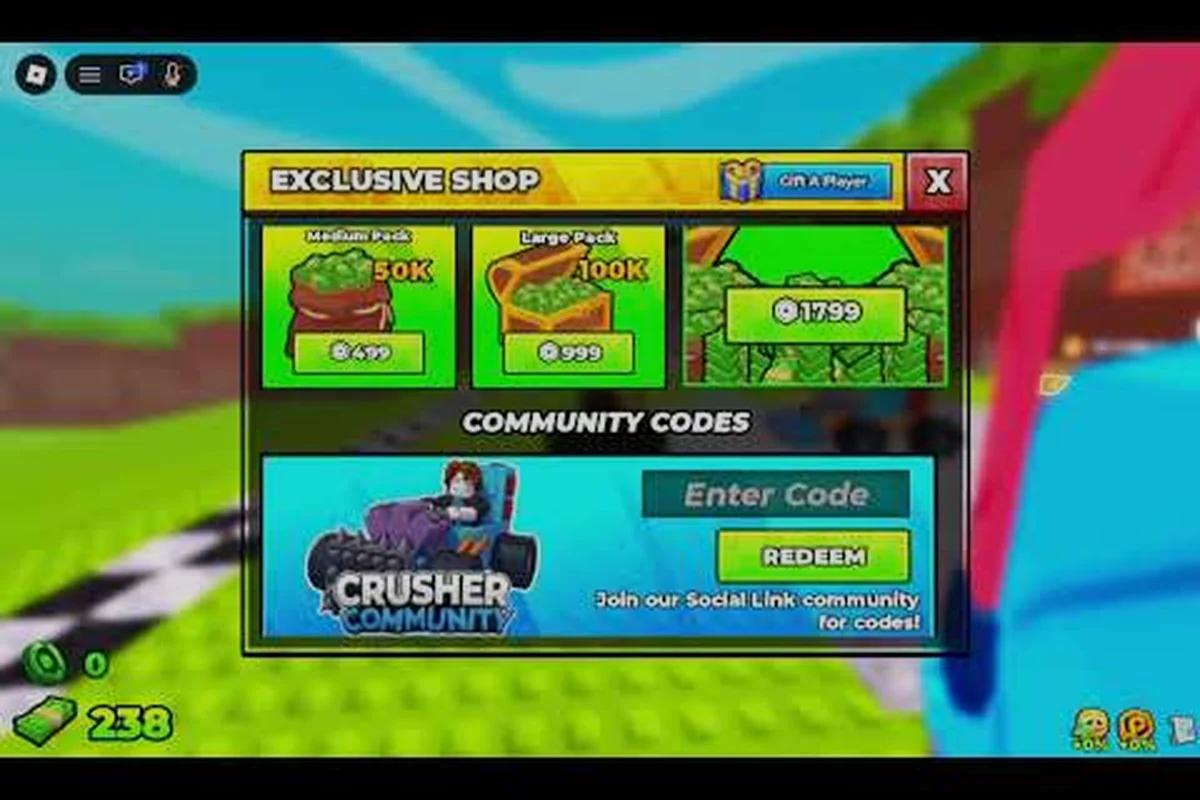
If your Build and Kill Zombies run has gone stale, the cars are stacked with the wrong parts, and every reroll burns cash you cannot spare, a clean slate is the fastest way back to a strong opening build. The reset path is short, but it is also unforgiving: a missed step can lock your account out of the free chest, wipe the group bonus, or strand you in a co-op server when you wanted to farm alone. This walkthrough shows exactly which button deletes your save, what survives the wipe, and how to set the next run up with the group reward, the like bonus, and a solo-friendly cash loop already wired in.
What a Full Reset Actually Wipes (and What It Does Not)
A reset in Build and Kill Zombies is closer to a database rollback than a settings toggle. Once you confirm the prompt, the server clears the per-account save file on its next sync, which means everything that lives inside that file disappears with it. Community data from player testing shows the reset hits three main buckets: owned car parts, in-run currency, and unlock progress. What stays on the account is the Roblox identity itself, the like count, the group membership flag, and the chest claim history.
Items Cleared by the Reset
The reset hits anything the server stores under your player ID. The car inventory in the CAR PARTS machine is the biggest casualty, because every BLOCKS, ENGINES, WHEELS, and FUELS part you rolled with your starter cash gets dropped from the table. Owned supports on the SUPPORTS machine follow the same rule, which is why most players reroll their weapon layout fresh after a wipe. In-run cash resets to the small starting bundle, and the per-player Luck I and Luck II skill purchases are refunded because those skills live on the same save file as the parts.
Items That Survive the Reset
Several pieces of data are stored outside the per-run save, so they pass through a reset untouched. The like bonus on the official page, the join flag from the Zombie Car Crusher group, the chest claim log, and any badge progress tied to cross-run achievements (such as the Hacker Event 2026 and You defeated the King 1x1x1x1 badges) all stay. Robux purchases and game pass unlocks also persist, because those are tracked at the platform level, not inside the run file.
| Data Type | Cleared on Reset | Persists After Reset |
|---|---|---|
| Car parts inventory (CAR PARTS) | Yes | No |
| Supports inventory (SUPPORTS) | Yes | No |
| In-run cash balance | Yes | No |
| Permanent skill purchases (Luck I, More Support I) | Yes | No |
| Roblox like on game page | No | Yes |
| Zombie Car Crusher group join flag | No | Yes |
| Chest claim log (free daily chest) | No | Yes |
| Game Pass ownership | No | Yes |
| Cross-run badges (Hacker Event 2026, King 1x1x1x1) | No | Yes |
If you are chasing the best distance run setup after a reset, the saved skills and parts are the columns you actually lose, and the rest is just UI state. Plan your reroll around the empty parts table, not the badges, because the badges need a fully built car to trigger in the first place.
The Exact Reset Path on PC and Mobile
The reset path is two clicks deep, but the prompt text is easy to misread because it sits next to a refund button that does something completely different. Going down the wrong branch is the most common reason players think they reset when they only refunded a part. The steps below are the same on PC and mobile clients, because the menu is rendered on a single shared UI layer.
Step-by-Step Reset Procedure
Open the in-game menu by pressing the menu button on the top-left of the HUD, then tap Settings. The fourth option in the Settings panel is labelled Reset Progress in small text; the option above it is Refund Last Roll, and that one only refunds the most recent Roll on the supports machine without touching the save. Tap Reset Progress, then confirm on the second prompt that asks whether you want to wipe your save. The server commits the wipe on the next heartbeat, which usually lands within ten seconds.
After the confirmation, leave the server and rejoin to force a fresh save file to load. Players who skip the rejoin sometimes still see their old parts in the HUD because the client caches the last-served payload, which leads to the false impression that the reset failed. A clean rejoin clears that cache, and the next time you touch the CAR PARTS machine, the starter parts table is empty as expected.
Reset Versus Refund Versus Rejoin
Three menu actions sound similar but do very different things, and the table below maps each one to its real effect. Reset Progress clears the entire save, Refund Last Roll only returns the cost of the most recent roll on the supports machine, and a plain server rejoin does nothing to your data at all. Knowing which button does what saves you from a wipe you did not want, and from a refund you thought was a reset.
| Action | What It Changes | Cash Refunded | Skill Tree Affected |
|---|---|---|---|
| Reset Progress | Full save wipe, all parts and skills cleared | No cash returned, starter bundle reloads on next join | Reset to zero, must repurchase Luck I from scratch |
| Refund Last Roll | Cancels most recent supports roll only | Returns the roll cost in full | Untouched |
| Leave and Rejoin | Nothing, server just reloads the same save | No change | Untouched |
| Roll (Reroll) | Generates a new part on the same slot | Costs the standard roll price | Untouched |
A useful side effect of a real reset is that the free chest in the chest reward path can be claimed again on the next session, because the chest claim log updates on a per-account basis and a fresh save counts as a new visit for the daily timer. Players who want the cleanest possible reset usually chain the wipe with a leave, a rejoin, and a single free chest claim in that order.
Claiming the Free Chest After the Reset
The free chest is the single most valuable reward tied to a fresh save, because it hands out a free roll on either the CAR PARTS or SUPPORTS machine, and the choice between the two is yours. Most new players hit the parts table first so the opening build has at least one rare part before the first zombie wave spawns. The chest lives in the SHOP tab of the HUD, under the FREE section, and it has a cooldown timer that resets when the save file is replaced.
Where to Find the Free Chest in the HUD
From the main HUD, tap the SHOP button on the bottom-right, then select the FREE tile at the top of the shop grid. The chest sits on the left of the three free tiles, next to the daily login reward and the group bonus. The icon glows when the chest is ready to claim, and it greys out for the cooldown period after a claim. Because the chest claim log persists across resets, you cannot chain wipes to farm the chest, but you can claim it once per reset cycle, which is why so many players time their resets around chest availability.
What the Free Chest Can Drop
The free chest rolls on the same rarity table as a paid Gold Roll I pull, but it is locked to a single item per claim. Drops include rare BLOCKS parts (such as the spiked bumper and reinforced chassis), high-tier ENGINES (the V8 and the turbo variants), and a small chance at a mythic WHEELS part. Supports drops lean toward the front-mounted weapon slot, which is the slot that the More Support I skill unlocks on the car build. The table below shows the rough drop weights reported by community testing, though exact numbers may vary by patch.
| Drop Slot | Common | Rare | Mythic |
|---|---|---|---|
| BLOCKS | 60% | 35% | 5% |
| ENGINES | 55% | 40% | 5% |
| WHEELS | 50% | 42% | 8% |
| SUPPORTS (front slot) | 65% | 30% | 5% |
If the chest lands a mythic part, the smart play is to bank it and reroll the rest of the build around that part, because a single mythic anchor turns a mid-tier car into a long-distance runner in a few rerolls. If the chest lands a common part, treat the roll as cash-equivalent and reroll the slot until a rare lands, which usually costs another two to three standard rolls.
Joining the Zombie Car Crusher Group for the Group Bonus
The group bonus is one of the easiest permanent boosts to grab, and it survives every reset because the group join flag is stored on the platform side, not in the run save. The bonus adds a small cash multiplier to every zombie kill and a flat cash reward for daily logins, and both of those stack on top of the Luck II cash bonus from the skill tree. Players who skip the group join leave roughly 15% of the early-game cash flow on the table, which is enough to skip the first ten rerolls entirely.
How to Join the Official Group
Open the game page on the Roblox client, scroll down past the description, and tap the group banner under the developer credit. The banner links directly to the Zombie Car Crusher group page. Hit the green Join button, then return to the game and rejoin the server. The group flag syncs on the next heartbeat, which means the bonus is active by the time you roll your first part. The whole process takes about a minute, and the bonus is permanent for as long as you stay in the group, which is free.
What the Group Bonus Actually Does
The group bonus has three live effects, all of which compound with skill-tree cash bonuses. Kills drop an extra cash pip, distance milestones grant a small flat bonus on top of the existing rewards, and the daily login chest counts as claimed even if you miss the actual day. The table below maps each effect to its rough value, based on community testing reported by players.
| Bonus Effect | Trigger | Approximate Value |
|---|---|---|
| Extra cash pip per zombie kill | Every kill | +10% to +15% cash per kill |
| Flat distance milestone bonus | Every 1,000 studs | Small flat cash, stacks with skill tree |
| Daily login safety net | Once per real day | Chest counts as claimed even on a missed login |
The group bonus is one of two permanent cash sources the game hands out for free; the other is the like on the official game page, which unlocks a separate one-time cash bundle for new accounts. Stack both and the first ten minutes of a fresh save are noticeably richer than a save that skipped either step.
How to Like the Game and Unlock the Like Bonus
The like bonus is a separate one-time reward that fires when your Roblox account likes the game page, and it is a frequent miss for new players because the prompt lives outside the game client. Like the group join, this bonus survives every reset because the like is stored against the account, not against the in-game save file. The bonus is a flat cash bundle plus a short-term cash multiplier, and both expire after a set window if you do not use them.
Steps to Send the Like
Open the game page on Roblox, scroll to the heart-shaped Favorite button under the game thumbnail, and tap it. A confirmation prompt appears; accept it, then return to the game. The bonus lands in your HUD on the next server sync, usually within the same session. The whole sequence takes about thirty seconds, and the bonus is permanent for the account, even if the game client changes.
Why the Like Bonus Matters After a Reset
Because the like bonus is a one-time bundle, a reset does not re-trigger it, but it also does not remove the cash you already received from it. New players who reset before liking the game lose the bonus entirely, which is one of the more common waste-cases reported by community testing. The fix is simple: like the game first, wait for the bonus to land, then reset. That order guarantees the bonus hits a live save and the cash is spendable on the new parts table.
| Step | Action | Bonus State |
|---|---|---|
| 1 | Like the game page | Bonus queued for next server sync |
| 2 | Rejoin the server | Bonus lands in HUD, spendable cash added |
| 3 | Spend the bonus on a starter roll | Bonus consumed, multiplier active for the session |
| 4 | Reset progress later | Bonus cash already spent, no longer recoverable |
A clean reset sequence looks like this in practice: like the game, join the Zombie Car Crusher group, claim the free chest, then reset the save and start a fresh run with both bonuses already active. Players who follow that order usually have one extra rare part and a few extra cash rolls in the bank before the first zombie wave.
How to Play Solo After the Reset
Solo play is the default mode for most resets because the cash flow per player is higher and the loot tables are not split across a four-car convoy. Build and Kill Zombies uses a shared server architecture, which means solo play is really a private-lobby mode with no other cars on the road, and the distance milestones scale to a single car. The mode switch happens in the lobby screen, before the run starts, and it cannot be toggled mid-run because the server commits the run type on spawn.
Switching to a Solo Lobby
From the main menu, tap the Play button, then look for the Mode selector on the bottom-left of the lobby panel. The default is Public, which drops you into a server with up to three other players. Tap Solo to switch to a private server with no co-op partners, which is the cleanest setup for a fresh save because every zombie kill drops cash that lands directly in your wallet. The mode change persists for the current session, and it resets to Public if you leave the server and rejoin.
Solo Versus Co-op Cash Flow
Solo runs trade the co-op revive bonus for a tighter cash curve, which usually wins out on a fresh save. Co-op runs split zombie kills across the team, so each player earns roughly 40% of the cash they would have earned solo, even with the revive bonus factored in. Solo runs also avoid the team-up coordination tax, which is the time spent waiting for a co-op partner to finish a reroll before the wave starts. The table below compares the two modes on the dimensions that matter for a reset run.
| Dimension | Solo Mode | Co-op Mode |
|---|---|---|
| Cash per zombie kill | 100% of drop value | ~40% of drop value per player |
| Revive bonus | None | Available once per run |
| Loot table competition | None, every drop is yours | Shared, rares contested |
| Reroll coordination | None, reroll at will | Wait for partner on supports machine |
| Distance milestone scaling | Single car | Scales with the slowest car in the convoy |
Solo play is also the only way to consistently farm the distance record milestones, because co-op runs often stall when one partner's car is undertuned. A solo run with a focused build can usually push 30% further on the same parts, which is enough to clear the next cash milestone bracket and fund the next round of rerolls.
Common Mistakes That Cost the Reset Run
Most failed resets are not failed wipes; they are wasted wipes, where the player loses the save without setting up the new one. The fix is to treat the reset as a four-step checklist, not a single click, because each step protects a different piece of the new run. The mistakes below are the four most common patterns reported by community testing.
Forgetting to Like the Game First
Liking the game after a reset means the like bonus lands on an empty save with no cash to spend it on, because the bonus is a one-time bundle that does not repeat. Always like the game, wait for the bonus to land, then reset. This order guarantees the cash is spendable on the new parts table.
Skipping the Group Join
The group bonus survives a reset, but it also does not activate until the next server sync, so a player who resets before joining misses the early cash boost on the new run. Join the group first, sync the server, then reset.
Resetting Before Claiming the Free Chest
The free chest has a cooldown, and the cooldown ticks on a per-account basis, which means a reset does not give a second claim. Players who reset before claiming the chest lose the chest for the cycle. The fix is to claim the chest first, then reset on the next session when the cooldown has refreshed.
Rejoining Too Quickly After the Reset
The client caches the last-served save payload for a few seconds, which means a fast rejoin can load the old parts table before the server has committed the wipe. Wait at least ten seconds after the reset confirmation, then rejoin to force a fresh save file to load. The HUD will show the starter parts table, and the cash bundle will be at the default starter value.
| Mistake | Effect on the New Run | Fix |
|---|---|---|
| Like after reset | Like bonus lands on empty save, no cash to spend | Like, sync, then reset |
| Group join skipped | Group bonus delayed by one server sync | Join the group, sync, then reset |
| Chest claimed after reset | Chest cooldown already ticking, no second claim | Claim the chest first, reset next session |
| Rejoined too quickly | Client shows cached old parts | Wait ten seconds, then rejoin |
| Reset before solo switch | Public lobby by default on the new run | Switch to solo in the lobby before spawn |
Players who internalize the four-step order (like, join, claim, reset) usually come out of the wipe with a fully buffed new run, while players who skip a step end up grinding for the same bonuses that a five-minute setup would have handed out for free.
Putting It All Together: The Clean Reset Checklist
A clean reset is a four-step setup, a one-click wipe, and a solo launch. The setup phase locks in the permanent bonuses, the wipe clears the save, and the solo launch gives the new run the highest cash-per-kill curve. Players who run the checklist in order usually end the first wave with at least one rare part, a full cash bundle, and the group multiplier active, which is the strongest possible opening state for a fresh save.
The Four-Step Setup Before the Reset
Run these four steps in order, on the same account, before touching the Reset Progress button:
-
Like the game page on Roblox, wait for the bonus to sync into the HUD.
-
Join the Zombie Car Crusher group via the developer banner, wait for the group flag to sync.
-
Claim the free chest in the SHOP → FREE tab, and spend the roll on the slot you want to seed.
-
Switch the lobby mode to Solo from the Play screen, so the new run spawns into a private server.
Once all four steps are live, open Settings, tap Reset Progress, confirm the wipe, leave the server, wait ten seconds, then rejoin. The new run will load with the group bonus active, the like bonus already spent, the free chest claimed, and a solo lobby waiting. From there, the beginner opener is the same standard car build that any new player would use, but with two to three extra rerolls already in the bank.
Frequently Asked Questions
Does resetting progress delete the like bonus on Build and Kill Zombies?
No, the like bonus is stored against the Roblox account, not the in-game save, so a reset never removes it. The bonus lands once per account and survives every wipe, which is why it pays to send the like before you reset for the first time.
Can I claim the free chest more than once after multiple resets?
No, the chest claim log updates on a per-account basis, and the cooldown ticks in real time, so chaining wipes does not give extra claims. The cleanest play is to claim the chest, spend the roll, then reset on the next session when the cooldown has refreshed.
Do I lose the Zombie Car Crusher group bonus if I reset progress?
No, the group join flag is platform-level data, so it survives every reset and the bonus stays active on the new run. Players who reset before joining the group do miss out, because the bonus only syncs after the next server heartbeat, which is why the join should come before the wipe.
How do I switch to solo play after a reset without joining a public server?
Open the Play screen, tap the Mode selector on the bottom-left of the lobby panel, and choose Solo. The mode change commits on spawn, so rejoin the server after the toggle to make sure the new run loads into a private lobby.
What survives a reset in Build and Kill Zombies: badges, parts, or skills?
Badges stay because they are tracked outside the save, parts are wiped because they live inside the per-run inventory, and skills are refunded because they share the same save file as the parts. The cross-run badges like Hacker Event 2026 and You defeated the King 1x1x1x1 therefore persist, while the Luck I and More Support I purchases reset to zero.